
There are different development environments and debugger to work with the Bmbed Framework and the according hardware platform. Fortunately the purchase isn't expensive for these tools anymore. You just need a few dollars to start with Bmbed.

Keil µVision IDE is quite popular. It supports a wide range of ARM Cortex microcontroller from different manufacturer. That's understandable because Keil belongs to ARM since 2005. There are still discussions about the Keil IDE prices. Besides the included source code editor isn't hip.

Texas Instruments Code Composer Studio (CCS) IDE was one of the first complete development environments for embedded software with a JTAG interface. First it was a proprietary TI software. Later the CCS base switched to Eclipse. CCS is for free since a few years.

Microsoft Visual Studio is the first choice for programming .NET Windows programs. The community version is free and fulfills the realization of small and medium projects. The source code editor is one of the best.
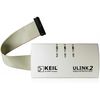
ULINK2 debug probe is appropriate for ARM Keil IDE. Some Bmbed Keil projects were developed with a ULINK2.
XDS 100/ 110 debug probes are appropriate for Texas Instruments microcontroller together with Code Composer Studio IDE. Some Bmbed CCS projects are developed with a XDS100/ 110.
TI evaluation boards contain a built-in debug probe already. Mostly a XDS100. That makes it easier to start an embedded software development. But you need a separate debug probe for using your own hardware platform. Following evaluation boards contain a built-in debug probe:
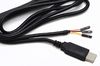
Compared to "clean" software projects needs embedded software projects still some hardware components. It also needs some basic hardware know-how. Following accessoires are recommended to make a Bmbed work successfully: